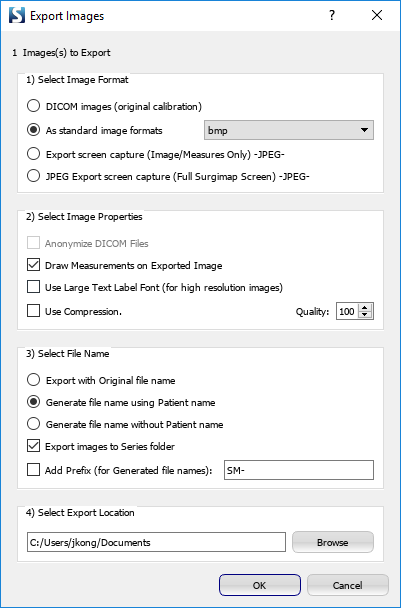
Image export is a premium feature available to healthcare providers upon request. Visit our Features Page or email support@surgimap.com to request this feature.
To export an image with measurements, open the image, click the menu icon at the top right corner, and select “Export”. Select the desired image format, image properties, and export location. Be sure to check the box “Draw measurements on exported image”.